CRM implementation services built around your sales process

A CRM pays off when every lead lands in it automatically and a rep can see the next step on a deal without being reminded by a manager. We configure HubSpot, Pipedrive, Salesforce, Zoho CRM or Odoo around the way you actually sell: pipeline stages, website, phone, email and messaging integrations, accounting links, automation and reports.

Reply within 15 minutes · project assessment — free · pricing on request

A sales rep’s desk with a monitor showing a kanban board of deals, a headset and a notebook

CRM implementation services cover setting up a customer relationship management system around one company’s sales process: pipeline stages, deal fields, automated tasks, integrations with the website, phone, email, messaging and accounting software, data migration and team training. CRM integration is one part of the work: it connects the CRM to other tools so leads and data arrive without manual entry.

When it’s time to implement or rebuild your CRM

Situations that usually bring a company to a CRM project. If you recognize yours, the losses are already happening; nobody is just counting them.

“Leads are scattered across inboxes, chat apps and a rep’s notebook”

Some inquiries get lost before the first reply, and the owner has no idea how many leads actually came in.

We connect every channel to the CRM: website forms, phone calls, email, WhatsApp Business, Instagram and Facebook messages, Facebook Marketplace where it matters. Each inquiry becomes a deal with an owner.

“We bought a CRM, but the reps don’t use it”

The system turns into an expensive address book. Data is entered after the fact, or not at all.

We rebuild the pipeline around the real stages of your sales, cut the extra fields and add automatic tasks. For a rep, working in the CRM becomes easier than working around it.

“A rep left and took the conversation history with them”

The replacement starts from zero, and the customer has to explain everything again.

Calls, emails and documents are stored on the customer record. The history belongs to the company, not to an individual employee.

“We can’t tell at which stage we lose customers”

Decisions about ad spend and hiring are made on gut feeling.

We set up stage-conversion and lead-source reports and connect the CRM to your paid advertising and Google Analytics 4 data.

What a CRM implementation includes

The scope depends on size: a team of three reps and a company with several pipelines and branches need different amounts of setup.

Sales process audit

We walk through the path of a deal from inquiry to payment, the roles involved and the places where customers drop out. Then we write down what the CRM has to do.

Platform selection

HubSpot, Pipedrive, Salesforce, Zoho CRM, Microsoft Dynamics 365 or Odoo, chosen by your tasks rather than by habit. We compare them on integrations, number of users and scenarios.

Pipelines and fields

Deal stages, required fields at each stage, lost reasons. Only what you need for decisions, without overloading the reps.

Integrations

Website forms and quizzes, VoIP and phone systems, email and calendar, WhatsApp Business, accounting software such as QuickBooks or Xero, e-commerce platforms, email marketing tools and payment providers.

Workflows and automation

Automatic tasks, stage changes triggered by events, reminders, email and message templates, lead routing between reps.

Reports and analytics

Stage conversion, lead sources, sales plan versus actual, rep workload. Multi-touch attribution where it’s needed.

Data migration

Import of customers and deals from spreadsheets or a legacy system, with duplicate cleanup and field checks.

Training and playbook

A playbook written for your processes, training for reps and managers, and support through the first weeks of use.

Integrations we connect most often

A CRM is only as useful as the data that reaches it. These are the connections almost every implementation needs.

Website, forms and quizzes

A submission creates a deal with UTM parameters and the landing page attached, so you can see which ad brought the customer.

VoIP and phone systems

Inbound and outbound calls and call recordings on the customer record, plus automatic deal creation for a new phone number.

Messaging and social inboxes

WhatsApp Business, SMS, Instagram and Facebook Messenger: conversations run from the CRM and don’t disappear into personal phones.

Accounting and ERP

Invoices, payments, stock levels and product lists sync with QuickBooks, Xero, NetSuite or SAP Business One, so reps don’t copy data by hand.

Chatbots and AI

A chatbot qualifies the inquiry and passes a ready lead into the CRM with the customer’s answers attached.

Free project estimate and quote

Leave your contact — we'll review the task and send a quote with a scope breakdown and timelines. No pushy sales call.

Thank you! Request received — we'll get back with the estimate and quote within one business day.

How a CRM implementation runs

Stages, timelines and checkpoints are fixed in the contract before work starts.

Step 01

Brief and audit

Interviews with the owner and the reps, a review of your current tools and where deals leak. The result is a specification for the setup.

Step 02

Design

A map of pipelines, fields, roles and integrations. You approve it before configuration starts, so nothing gets rebuilt later.

Step 03

Configuration and integrations

We build pipelines and workflows, connect channels and accounting software, and migrate the data.

Step 04

Pilot period

The team works in the CRM on real deals, we collect feedback and fine-tune the settings.

Step 05

Training and launch

We train the team and hand over the playbook and admin access. After that, support is available as you need it.

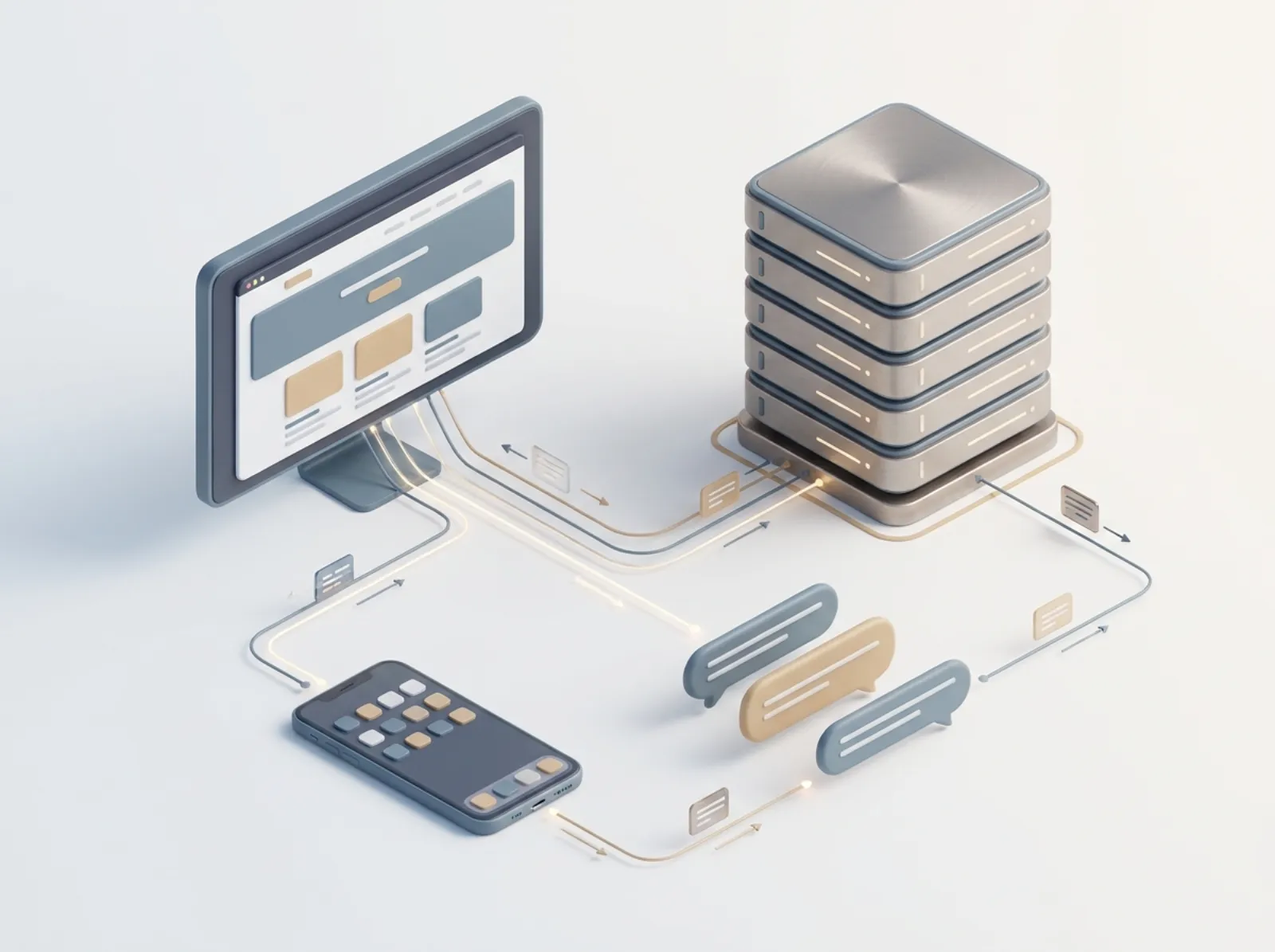
CRM integration diagram: website, phone and messaging channels feed data into a central customer database
Integrations bring leads from every channel into a single customer record.

HubSpot, Pipedrive or Salesforce: which to choose

All three cover most small and mid-sized businesses. They differ in approach, depth and the effort needed to run them.

CriterionHubSpotPipedriveSalesforce
FocusMarketing, sales and service in one platformSales pipeline and deal trackingHighly configurable sales, service and platform tooling
Learning curveApproachable for sales and marketing teamsThe quickest start for a sales teamSteeper; usually needs an administrator or a partner
Marketing toolsEmail, forms, landing pages and reporting built inBasic, extended through add-ons and integrationsAvailable through additional products and integrations
CustomizationCustom properties, objects and workflowsCustom fields and automations, lighter than the othersCustom objects, flows and code when you need them
When to chooseYou want sales and marketing in one tool and a team that maintains it themselvesYou need a clear, fast pipeline for a small or mid-sized sales teamYou have complex processes, several business units or heavy reporting needs

Who it’s for, and who it isn’t

A good fit if

  • You have a sales team, or at least two people who talk to customers.
  • Leads come from several channels: website, phone, messaging apps, marketplaces.
  • The owner needs real pipeline numbers rather than verbal updates.
  • You already have a CRM, but it doesn’t work the way the business needs.

Not a fit if

  • Sales are one-off and rare: a spreadsheet and a calendar will do.
  • The sales process isn’t defined and changes every week: describe it first, then automate it.

Why CRM implementations so often stall

The main reason is that the system gets configured around an abstract “textbook pipeline” instead of how the company actually sells. Reps get a dozen required fields and stages that don’t match their work, so they start managing customers outside the CRM. That is why we begin with the people who sell, not only with the owner or the head of sales.

The second reason is incomplete integrations. If some leads arrive in the CRM automatically while others stay in chat apps on reps’ phones, reports lie and the owner stops trusting them. During design we list every channel customers come from and connect each one.

The third is the absence of a process owner. After launch, somebody in the company has to make sure data gets filled in and settings change as the business changes. We hand over a playbook, train that person and, if needed, stay on for support. For more on choosing a platform, read our guide to how to choose a CRM. If you want to see what else can be automated beyond the sales team, look at business process automation examples.

A fourth point is data protection. A CRM holds personal data, so access roles, retention rules and consent records have to be part of the design. If you serve customers in the EU, UK or California, we configure the system with GDPR and CCPA in mind, covering consent fields and the ability to export or delete a person’s record on request.


FAQ: CRM implementation

We quote on request, because it depends on the number of pipelines and users, the number of integrations and how much data has to be migrated. CRM licences are paid separately to the vendor at its own rates. After the brief we send an estimate broken down by workstream.
Integration connects the CRM to other tools: your website, phone system, messaging apps, accounting software. Implementation is wider. It includes the process audit, pipeline and field setup, integrations, data migration and team training.
Yes. We move customers, contacts, deals and history, provided the old system lets you export them. Before import we remove duplicates and check the fields.
Most often HubSpot, Pipedrive, Salesforce, Zoho CRM and Odoo, and Microsoft Dynamics 365 for larger teams. If you already run another system with an open API, we assess whether it can be extended instead of replaced.
It’s a common risk, so we design the system together with the reps, cut unnecessary fields and automate the routine. Once the CRM saves them time, resistance usually fades. A playbook and reports help management keep the rules in place.
Yes, if you want it. We help with changes, new integrations and pipeline updates when your sales process shifts.

Tell us about your task — we'll come back with a quote and timeline

In response you'll get a project estimate, a quote broken down by scope, and timelines. Usually within one business day. Free, no strings attached.

4 of 6 project slots open this week.

Request received

Thank you! We'll get back with the project estimate, the quote and the timeline — usually within one business day.

Get an estimate