CRM for gyms where memberships renew on time

A gym lives on renewals. A new member comes for a trial in January and quietly stops showing up by March, and nobody notices. We implement a CRM for gyms, studios, sports clubs and dance schools so the sales team carries trial sessions through to a decision, and the system itself flags members who have stopped coming and are about to run out of membership.

Reply within 15 minutes · project assessment — free · pricing on request

A gym reception desk with a tablet showing a class schedule and memberships, with a weight floor and a group studio in the background

A CRM for gyms is a system that manages members and their memberships, class and personal training schedules, attendance, freezes and renewals, plus the sales pipeline from inquiry to signing up. We choose a CRM for your format, whether a gym, a studio or a dance school, and connect it to door access, online payments and messaging.

Where a gym loses members

Situations that owners of gyms, studios and dance schools bring to us.

“We booked a trial, the person came, and that was the end of it”

A trial session costs the gym a trainer’s time, but without a follow-up call the visitor goes away to think and signs up at the gym down the road.

We add a “trial completed” stage with an automatic task for the sales rep and a message to the visitor. Every trial guest is followed through to a decision.

“We only learn that a member has gone when they don’t renew”

People stop coming weeks before the membership ends. By the time renewal comes, the motivation is gone.

The CRM tracks visits and creates a task when a member hasn’t appeared for longer than usual. A trainer or staff member reaches out while the member can still be won back.

“The schedule is in a spreadsheet, and classes are either full or empty”

Members arrive at a class with no spots left, or a trainer leads a group of two. Both hurt loyalty and revenue.

We move the schedule into the CRM with spot limits, a waitlist and online class booking.

“We calculate freezes and transfers by hand”

Front desk staff get confused by end dates, members dispute charges, and the revenue report doesn’t match the till.

Rules for freezes, transfers and class deductions are defined in the system. End dates recalculate automatically.

What we set up in a gym CRM

The set depends on the format: a gym floor, a club with a pool, a group fitness studio, a dance school and an independent trainer all work differently.

Memberships and club cards

Membership types, visit limits, freezes, transfers, family and corporate plans. End dates are calculated automatically.

Schedule and booking

Group classes, personal training, room rental. Spot limits, a waitlist, and booking by the member through an app or messaging.

Sales pipeline

Inquiry, call, trial session, tour, sign-up. Each stage has tasks and deadlines for the sales rep.

Retention and renewals

Segments such as “expiring soon”, “haven’t visited lately” and “frozen”. Each has its own touchpoint sequence and tasks.

Personal training

Session packs, trainer schedules, session deductions and trainer pay calculated from completed sessions.

Kids’ groups and dance schools

A child and parent record, group attendance, monthly memberships, and notifications to parents about cancellations and changes.

Upsells

Personal training, supplements, spa and massage, and an early renewal offer before the current membership ends.

Manager reports

Sales by rep, trial-to-membership conversion, renewals, room and trainer utilization, revenue by line of business.

Integrations for fitness and sport

A gym CRM connects to the equipment at the door, the payment system and the channels through which members book.

Industry platforms

Mindbody, Glofox, Zen Planner, Wodify, PushPress and similar. If the club already runs on one of them, we decide what stays there and what the sales CRM takes over.

HubSpot and Pipedrive

For a strong sales team: a trial pipeline, calls, campaigns and tasks for reps. We connect it to the membership system.

Door access and turnstiles

Visits by key fob, wristband or QR code land on the member record. Retention tracking is built on this.

Online payments and billing

Buying and renewing a membership by link, recurring payments for monthly billing through Stripe or, in the UK, GoCardless direct debit, with receipts sent automatically.

Messaging and phone

Class booking, reminders and cancellation notices by SMS and WhatsApp Business, plus calls recorded on the member record.

Club app

A mobile app or a booking page: schedule, class booking, membership balance and purchases.

Free project estimate and quote

Leave your contact — we'll review the task and send a quote with a scope breakdown and timelines. No pushy sales call.

Thank you! Request received — we'll get back with the estimate and quote within one business day.

The gym pipeline from inquiry to renewal

We configure the CRM stages around the real path of a gym member.

Step 01

Inquiry

From the website, social media, a call or a walk-in. The CRM creates a record and immediately assigns a task to reach out.

Step 02

Trial session or tour

A rep books the guest at a convenient time, and the member gets a reminder with the address and what to bring.

Step 03

Signing up

After the trial, the rep gets a task to call. Payment is by link and the membership activates automatically.

Step 04

Onboarding

The first weeks decide whether a member stays. An intro workout, meeting a trainer and attendance checks.

Step 05

Attendance monitoring

If a member drops off, the system warns you. A trainer or staff member gets in touch and suggests a convenient time.

Step 06

Renewal

A renewal task is created ahead of the end date. The member receives an offer and a payment link.

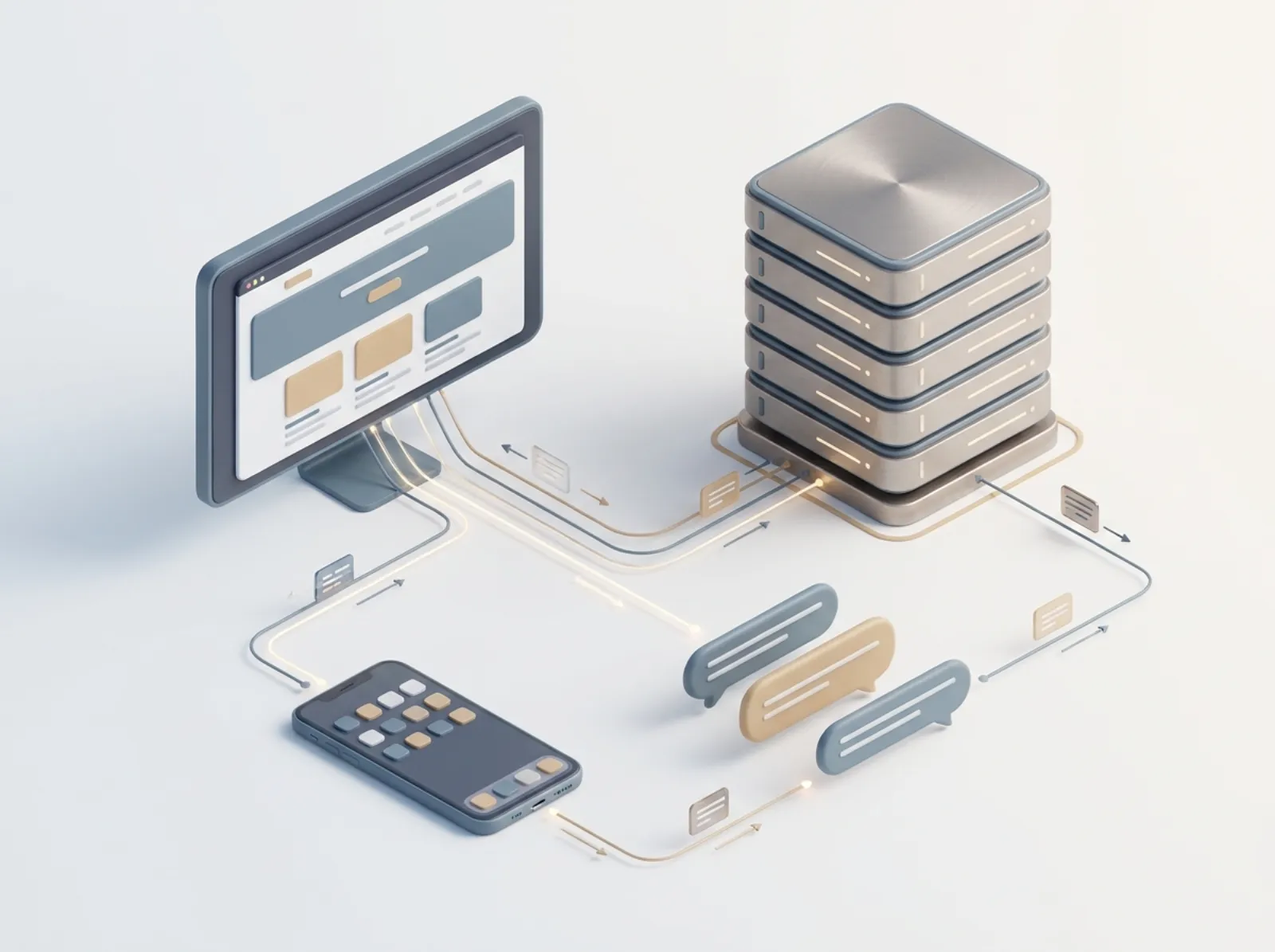
Isometric CRM diagram: a website, a smartphone and chat messages connected to a server that stores inquiries and customer data
A gym member travels from the first inquiry to renewal in one system.

Which CRM fits each format

A gym, a studio and a dance school solve different problems. The format decides which modules are critical.

FormatMain job of the CRMCritical modules
Gym with a weight floorSelling memberships and renewalsTrial pipeline, door access, attendance tracking
Group fitness studioFilling the scheduleOnline booking, spot limits, waitlist
Dance schoolGroup attendance and monthly paymentsGroups, memberships, notifications, recurring payments
Kids’ sports clubContact with parents and regular paymentChild and parent records, campaigns, attendance reports
Personal trainerTracking packs and scheduleSession packs, booking, reminders

Who it’s for, and who it isn’t

A good fit if

  • Gyms and fitness clubs with a sales team that need control over trials and renewals.
  • Yoga, Pilates, stretching and cycling studios with a dense class schedule.
  • Dance schools and sports clubs with kids’ and adult groups.
  • Multi-location clubs that need one database and reports for each address.

Not a fit if

  • A trainer who works with a few regular clients: a calendar and notes are enough.
  • A club that isn’t ready for front desk and sales staff to work in the system every day.

How a gym CRM differs from an ordinary CRM

In most CRMs the sale ends with payment. In fitness, paying for a membership is only the beginning: the gym earns when the member keeps coming and renews. That’s why a gym CRM is built around attendance, not just deals. Data from door access and class booking becomes the main signal of whether a member is still active.

The second difference is seasonality. Sales peak in January, September and the spring before summer, and attendance drops in summer. We build seasonal scenarios into the CRM in advance: renewal offers before summer, win-back for members who went on vacation, and handling of freezes.

The third is the variety of billing models: an annual membership, a monthly subscription, an eight-class pack, a drop-in visit, personal training. For a dance studio or a kids’ club, monthly billing of groups is typical. The system has to deduct classes correctly, account for freezes and not mix up end dates. Rules on auto-renewal and cancellation of memberships differ by state and country, so we configure the renewal and cancellation steps to match the rules where you operate.

The fourth is the role of trainers. A trainer sees a member more often than a sales rep and is first to notice when someone is losing motivation. We give trainers access to the schedule and the records of their clients so they can log attendance and create tasks for the front desk. If inquiries come from your website and ads, we connect the CRM to the sources and show which channel brings members who renew.


Checklist: what to prepare for the rollout

This data speeds up the launch. Whatever is missing, we’ll collect during the audit.

  • A list of membership types with their rules for freezes, transfers and deductions.
  • The schedule of group classes, rooms and trainers.
  • An export of your current member base with membership end dates.
  • Which equipment is at the door: turnstiles, card readers, wristbands.
  • The pay scheme for trainers and sales reps.
  • Inquiry sources: website, social media, listings, corporate clients.

FAQ: CRM for gyms

It depends on where your bottleneck is. If the main task is membership and schedule management, an industry platform will fit. If you need a strong sales team, we connect HubSpot or Pipedrive to your membership system. We choose after an audit of your processes.
Yes. Dance schools need groups, attendance, monthly memberships and notifications about schedule changes. For kids’ groups we add a parent record and parent messaging.
Yes. Membership management and billing can stay in your platform, while the CRM takes over inquiries, trial sessions, calls and renewals. We sync the data through an integration.
With more than about a dozen clients and session packs, a simple CRM helps you avoid losing payments and bookings. For one trainer, a lightweight tool with a schedule and reminders is enough.
Yes. We migrate members, memberships with remaining balances and end dates, and purchase history. Before the migration we remove duplicates by phone number.
We quote after the audit. It depends on the number of rooms, the door access and payment integrations and the amount of data to migrate. CRM licences are paid separately at the vendor’s rates.

Tell us about your task — we'll come back with a quote and timeline

In response you'll get a project estimate, a quote broken down by scope, and timelines. Usually within one business day. Free, no strings attached.

4 of 6 project slots open this week.

Request received

Thank you! We'll get back with the project estimate, the quote and the timeline — usually within one business day.

Get an estimate