CRM for logistics where every load is visible from quote to payment

In logistics, money is lost in the gaps: between a rate request and the reply to the customer, between delivery and handing in the paperwork, between a closed load and the payment. We implement a CRM for logistics and freight companies that closes those gaps and shows management the real picture of every load.

Reply within 15 minutes · project assessment — free · pricing on request

A dispatcher’s office at a freight company: monitors with a CRM and a route map, trucks at a loading dock outside the window

A CRM for logistics companies is a system where a freight broker, forwarder or carrier manages quote requests, rate calculation, the customer and carrier database, load statuses, documents and payments. We choose the CRM, build the pipeline around freight, connect it to your accounting, phones and messaging and train your dispatchers and sales reps.

Where a freight company loses money without a CRM

Typical situations at freight forwarders, asset-based carriers and logistics departments of manufacturers.

“The customer asked for a rate, and the rep answered three hours later”

A shipper sends a request to several companies at once. Whoever replies first with a clear rate gets the load.

Every rate request becomes a deal with a response timer. Management sees overdue requests before the customer has gone to a competitor.

“Paperwork for loads gets lost and payment is delayed for months”

Without the signed bill of lading, proof of delivery and invoice, the customer doesn’t pay. Receivables grow while the dispatcher is busy with new loads.

We add a “Documents” stage with a checklist: what has been received, what has been sent, and the status of the e-document or courier tracking. The deal doesn’t close without the full set.

“The carrier database lives in the dispatcher’s head”

A dispatcher quits, and the company loses its vetted carriers and lane rates.

We keep carrier records: lanes, equipment types, rates, document checks, load history and claims.

“We don’t know the margin per load or per customer”

A customer brings a lot of loads, but after detention and accessorial charges we earn less on them than it seems.

On each deal we record the customer rate, the carrier rate and additional costs. The report shows margin by load, customer and dispatcher.

What we set up in a freight CRM

The set depends on the model: a freight broker with no fleet, an asset-based carrier and a manufacturer’s logistics department all work differently.

Freight request pipeline

Rate request, quote, offer, approval, finding a truck, pickup, in transit, delivery, documents, payment. Each stage has an owner and a deadline.

Load record

Route, pickup and delivery dates, commodity, weight and dimensions, equipment type, temperature control, customer rate and carrier rate.

Customer database

Shippers with their lanes, shipping frequency, payment terms, contacts and load history. A repeat customer isn’t a new request from scratch.

Carriers and drivers

Equipment, documents, carrier vetting, a score for no-shows and late deliveries. A dispatcher quickly finds a truck for a lane.

Documents from templates

Rate confirmations, bills of lading, invoices and statements. Generated from load data in one click.

Receivables control

Payment terms by contract, overdue invoices, reminders to the customer and tasks for the account manager. You see which customers pay late.

Management reports

Loads, revenue and margin by dispatcher, customer and lane, response time to rate requests, reasons for lost quotes.

Bids and tenders

A separate pipeline for shipper RFPs and procurement tenders: submission deadlines, documents, rates and the result.

Integrations for a freight company CRM

A CRM is only useful to a dispatcher if data doesn’t have to be moved by hand. We connect it to your working systems.

Accounting

QuickBooks, Xero, NetSuite or your ERP: invoices, statements and payments sync with the CRM, so the dispatcher sees whether a load has been paid.

TMS

McLeod, Rose Rocket, Revenova and similar transportation management systems: load and status data flow between the TMS and the CRM, so sales and operations work from the same facts.

Telematics and visibility

Samsara, Motive or a visibility platform such as project44 or FourKites: the truck’s status and location on the load record, depending on what your systems provide.

Load boards and carrier vetting

DAT, Truckstop or, in Europe, Timocom and Trans.eu: finding trucks and loads, carrier checks and lane rates next to the request.

Phone and messaging

Calls and conversations with customers and drivers on the deal record. A missed call from a shipper becomes a task at once.

Website and quote form

Quote requests and calculators on your website create a deal with the route and shipment details. EDI for larger shippers that require it.

Free project estimate and quote

Leave your contact — we'll review the task and send a quote with a scope breakdown and timelines. No pushy sales call.

Thank you! Request received — we'll get back with the estimate and quote within one business day.

How we implement a CRM in a logistics company

Implementation runs alongside your work: loads keep moving.

Step 01

Process review

We walk a request through with dispatchers and accounting: where the data is stored, where time is lost and what management monitors.

Step 02

Choosing the system

HubSpot, Salesforce, Pipedrive or an industry platform, based on the number of users, the integrations you need and how your accounting is organized.

Step 03

Pipelines and fields

Customer requests, tenders, carriers. Mandatory fields at each stage and permissions.

Step 04

Integrations

Accounting, TMS, phones, messaging, website. We test on real loads that data flows both ways.

Step 05

Data migration

Customers, carriers, open loads and receivables from spreadsheets and old systems.

Step 06

Training and go-live

We train dispatchers and sales reps, then go through mistakes in the first weeks and fine-tune the reports.

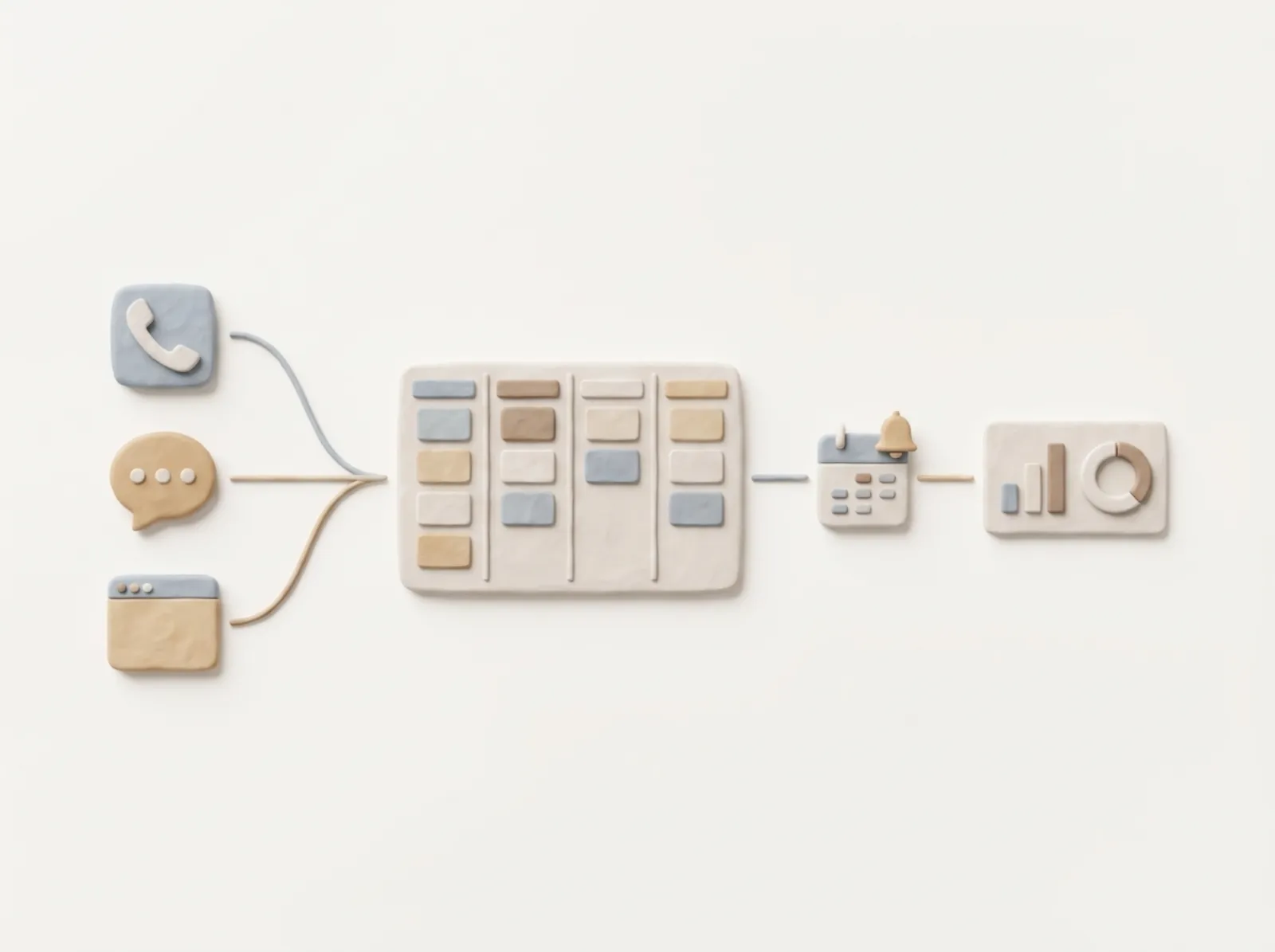
Isometric CRM diagram: calls, chat messages and website inquiries flow into a deal board linked to a task calendar and analytics
A freight request passes every stage in one system, from the rate quote to the incoming payment.

Spreadsheets and messaging or a CRM for logistics

Many companies work in spreadsheets for years. The difference becomes obvious once you have more than two dispatchers.

TaskSpreadsheets and messagingCRM for logistics
Rate requestsThe reply depends on whether the dispatcher saw the messageA deal with a timer and an owner
CarriersContacts on the dispatcher’s phoneA shared database with lanes and scores
DocumentsTracked from memoryA document checklist at the deal stage
ReceivablesReconciled with accounting once a monthOverdue invoices visible every day
MarginCalculated by hand, if at allA report by load, customer and dispatcher

Who it’s for, and who it isn’t

A good fit if

  • A freight brokerage or forwarder where several dispatchers manage customers and carriers.
  • A carrier with its own fleet that needs to connect sales, loads and payment.
  • The logistics department of a manufacturer or distributor that works with contracted carriers.
  • A growing company that can no longer control loads and receivables by hand.

Not a fit if

  • If all you need is route planning and truck loading, that is a job for a TMS, not a CRM.
  • An owner-operator with a single truck: a CRM would be overkill.

How a CRM for logistics differs from an ordinary sales CRM

In an ordinary CRM, the deal ends with payment. In logistics, once the rate is agreed the work is just beginning: find a truck, monitor pickup, deliver, collect the documents and get paid. So the pipeline is longer, and half its stages concern fulfilling the load, not selling it. A CRM has to show both.

The second difference is the two sides of every deal. Each load has a customer and a carrier, a rate for one and a rate for the other, and documents from both. If the CRM tracks only customers, margin and carrier risk stay outside the system. We set up linked records so a load sees both sides.

The third is the move toward paperless shipping documents. Electronic bills of lading and, in Europe, e-CMR are increasingly common, and it helps to show their status on the load record. It also matters not to confuse a CRM with a TMS: the CRM handles customers, deals and money, while routing and fleet planning are done by a specialized system. If you need both connected, we design that as part of business automation.


Checklist: what to prepare for the rollout

If something is missing, we’ll gather it during the process review.

  • A description of a request’s path, from rate request to payment.
  • Your customer and carrier database in any form.
  • Templates for rate confirmations, bills of lading and invoices.
  • Which accounting or ERP system you use and who maintains it.
  • A list of dispatchers and sales reps, with their roles and areas of responsibility.
  • The reports that management wants to see every week.

FAQ: CRM for logistics

We quote on request after a process review. It depends on the number of users and pipelines, the integrations with accounting and other systems, and the amount of data to migrate. You pay the CRM licence to the vendor separately.
There is no universal answer. HubSpot and Pipedrive work for teams that want fast sales and conversation tracking, Salesforce suits larger operations with complex processes, and some industry platforms combine CRM with TMS features. We compare options against your process.
Yes. We link customers, invoices, statements and payments so a dispatcher sees the payment status of a load and the accountant doesn’t retype data. We agree the exchange scheme with whoever maintains your accounting.
A CRM manages customers, requests, deals, documents and money. A TMS plans routes, loads and the work of the fleet. For many brokers a CRM is enough, while companies with their own fleet often need both.
Usually within a few weeks, if the system saves them time: document templates, finding a carrier by lane, reminders. We train on real loads and support the team after launch.
Yes. On the deal we record the payment terms from the contract, and the CRM reminds you about overdue invoices and shows the list of late payers. Payment data is pulled from your accounting system.

Tell us about your task — we'll come back with a quote and timeline

In response you'll get a project estimate, a quote broken down by scope, and timelines. Usually within one business day. Free, no strings attached.

4 of 6 project slots open this week.

Request received

Thank you! We'll get back with the project estimate, the quote and the timeline — usually within one business day.

Get an estimate