CRM for dentists that takes patients all the way to a treatment plan

In a dental practice, the practice management system handles the clinical side: charts, schedule, appointments. But patients get lost between the first call and the chair, and again between the consultation and accepting the treatment plan. A CRM for dentists covers exactly that stretch: inquiries, callbacks, reminders, unscheduled treatment and recalls.

Reply within 15 minutes · project assessment — free · pricing on request

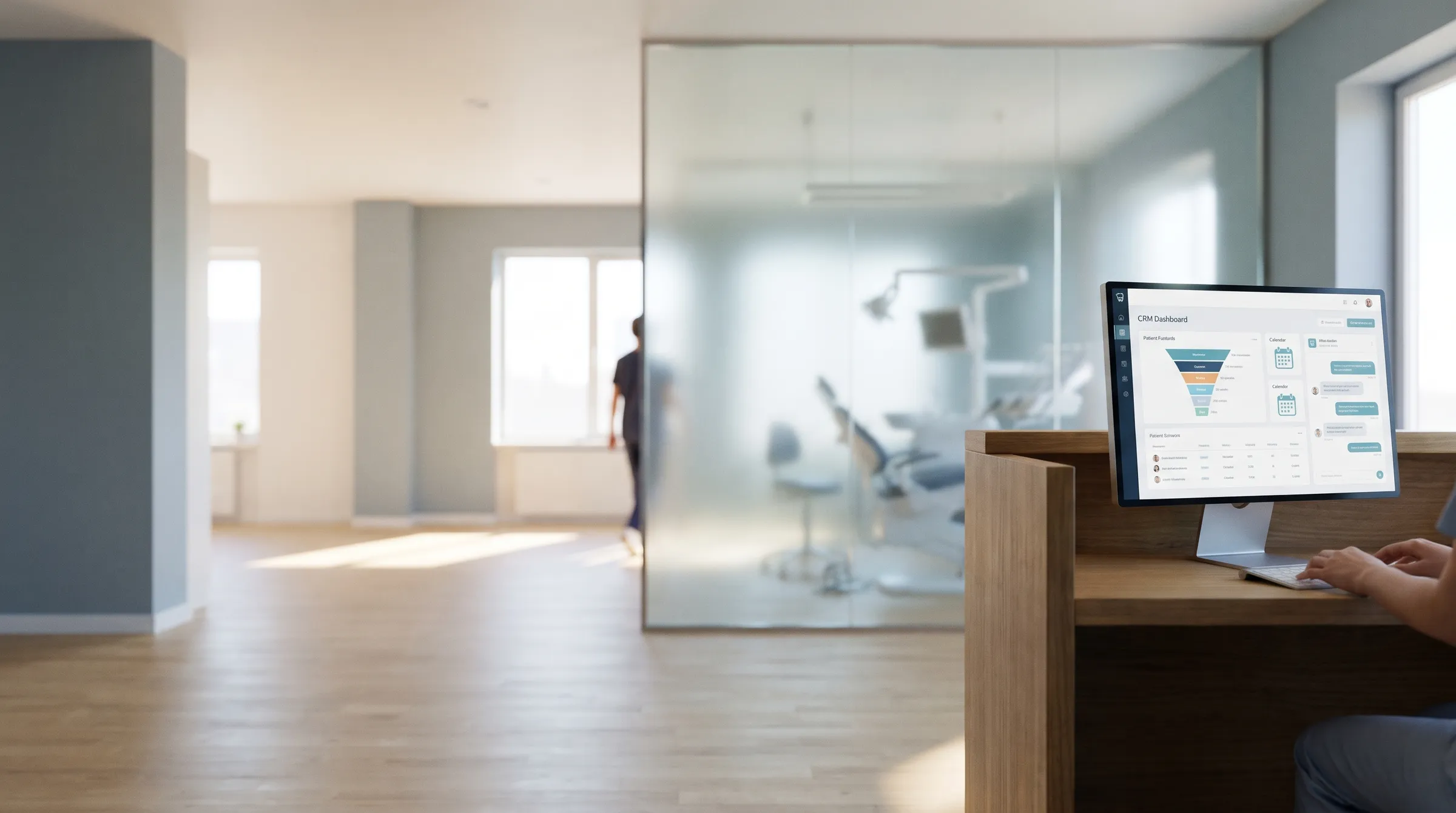
A dental practice reception desk with a monitor showing a CRM patient pipeline and a booking calendar, a dental chair visible through the glass behind it

A CRM for dentists is a system where the practice follows a patient from the first inquiry to the booking and on to completing the treatment plan. It collects inquiries from your website, calls and messages, reminds the front desk to call back, passes the appointment to your practice management software and shows who hasn’t started treatment after the consultation. We choose, configure and connect the CRM to your practice software.

Where a dental practice loses patients without a CRM

Typical situations dental practices bring to us. Practice management software doesn’t solve them: these are sales and service tasks, not clinical ones.

“The patient came for a consultation, got a treatment plan and disappeared”

The most expensive loss for a practice: the patient is already in the office, the dentist has spent the time, and the implant or crown work goes to a competitor.

Every treatment plan becomes a deal in the CRM. If the patient hasn’t booked the next stage, the front desk gets a task and the patient gets a message. You can see how many plans haven’t started and under which dentists.

“Website inquiries, calls and WhatsApp messages live in different places”

The front desk doesn’t remember who they promised to call back, and a missed evening call is never followed up.

All inquiries land in one pipeline with their source. A missed call automatically becomes a callback task.

“We don’t know which ads bring patients”

Money goes to channels that produce “how much is a cleaning” calls rather than implant patients.

We link ads, the CRM and the practice software: from the ad to paid treatment. The report shows revenue by channel, not the number of clicks.

“Patients don’t come back for hygiene visits and checkups”

A database of thousands of charts sits idle while the practice pays to attract new patients.

Recall sequences: a hygiene reminder after six months, a follow-up exam after an implant, birthday greetings and offers for the family.

What we set up in a CRM for dentists

The set depends on the practice: a two-chair office, a multi-location group and an implant practice get different pipelines.

New inquiry pipeline

Inquiry, callback, consultation, booking. Stages and response deadlines for front desk staff, plus automatic tasks for missed calls.

Treatment plan pipeline

A separate pipeline for higher-value treatment: implants, orthodontics, restorative work. Plan stages, acceptance, payment plan options and tracking whether treatment has started.

Online booking in the CRM

Booking from your website and messaging apps, checking open slots in the practice software. The patient picks a time and the appointment appears on the dentist’s schedule.

Patient record for sales

Source of inquiry, history of contacts, treatment plans and the responsible front desk coordinator. Clinical data stays in the practice software.

Reminders and recalls

Appointment confirmations the day before, hygiene and exam reminders, and win-back messages for patients who haven’t been in for a while.

Financial reporting

Revenue by dentist, service line and source, consultation-to-treatment conversion, average treatment plan value. Data comes from the practice software and the CRM.

Front desk oversight

Call recordings and scoring, speed of response to inquiries, reasons for declined plans. You can see where patients are lost at reception.

CRM integrations with practice software and other tools

The CRM works alongside your practice management software, not instead of it. We connect what the practice already uses.

Dental practice management software

Dentrix, Eaglesoft, Open Dental, Curve Dental and, in the UK, systems such as SOE, R4 or Dentally: schedule, patients, visits and payments, depending on what each exposes through its API or integrations.

CRM platforms

HubSpot, Pipedrive or Zoho CRM, chosen to fit the practice size and processes. Groups with many locations often need more advanced permissions; smaller practices do well with a lighter setup.

Website and online booking

Forms and a booking widget on your site create a deal with its source. If your site isn’t built for booking, see website design for dentists.

Business phone

A cloud phone system with call recording and call tracking: a call from an ad lands in the CRM with a channel tag.

Messaging

SMS, WhatsApp Business and email in one CRM window, where permitted by your privacy and consent rules. Confirmations and reminders go out automatically.

Directories and reviews

Inquiries from Google Business Profile, Zocdoc and similar listing platforms enter the same pipeline.

Free project estimate and quote

Leave your contact — we'll review the task and send a quote with a scope breakdown and timelines. No pushy sales call.

Thank you! Request received — we'll get back with the estimate and quote within one business day.

How we implement a CRM in a dental practice

Configuration happens without stopping patient care: we switch the front desk over once everything has been tested.

Step 011–2 weeks

Review of inquiries and processes

We listen to calls, see how booking works, where treatment plans are recorded and who owns them. We document the current patient journey.

Step 02

Pipeline design and CRM choice

We design the new-inquiry and treatment-plan pipelines, roles, response times and reports. We pick a CRM that fits your practice software and size.

Step 03

Practice software and channel integration

We connect the CRM to your practice software, website, phones and messaging. We check that appointments don’t duplicate and data doesn’t drift apart.

Step 04

Sequences and automation

Reminders, callback tasks, messages for unscheduled treatment plans and recalls.

Step 05

Training and go-live

Guides for the front desk and the practice manager, support through the first weeks and adjustments from feedback.

CRM and practice software for dentistry: what’s the difference

Practice management software handles everything tied to treatment: the electronic chart, tooth charting, dentist schedules, treatment notes and clinical documents. Many dental systems can book patients and even send reminders. But they handle poorly what happens before the first visit and between treatment stages: inquiries, callbacks, hesitant patients.

A CRM for patient management in dentistry covers exactly that part. It answers who inquired and didn’t book, who got a plan and didn’t start treatment, which ad channel brings in higher-value patients and which front desk coordinator loses calls. So the right setup isn’t a choice between a CRM and practice software, it is the two linked: clinical data stays in the practice software, and inquiry handling and sales work happen in the CRM.

If the practice has a low volume of inquiries and its practice software already includes a CRM module that covers the tasks, a separate system may be unnecessary. We check this during the review and say so honestly when it’s enough to tune what you have.

Patient data, HIPAA and cloud CRMs

Health information is highly regulated. In the US, dental practices are generally covered entities under HIPAA, so any CRM that holds protected health information needs appropriate safeguards and a business associate agreement with the vendor. In the UK and EU, health data is a special category under UK GDPR and GDPR. For that reason we don’t move the clinical chart into the CRM: it holds contacts, the source of the inquiry, stages and plan values, while treatment data stays in the practice software.

Messaging rules matter too. Texts and calls to patients need consent that matches the rules where you operate, such as the TCPA in the US, and appointment reminders should avoid unnecessary clinical detail. We build consent capture and opt-out handling into the sequences from the start.

Dental labs have their own case management tools. If the practice works with a lab, the manufacturing stages can be reflected on the treatment plan in the CRM, so the front desk books the fitting appointment at the right time.

How to choose a CRM for a dental practice

Instead of a “top CRMs” ranking, here are the criteria we use to choose a system for a specific practice.

CriterionWhat to look atWhy it matters
Practice software integrationA ready connector or an API for your systemWithout the link, the front desk maintains two databases and gets confused over appointments
Data storage and securityCompliance posture, role permissions and a signed agreement with the vendor where HIPAA or GDPR appliesPatient privacy obligations and professional confidentiality
Multiple locationsSeparate pipelines and permissions by locationA group needs to see load and revenue for each address
Phone and messagingBuilt in or through proven integrationsPatients call and write, and inquiries must not get lost
ReportingConsultation-to-treatment conversion, revenue by channelOtherwise it isn’t clear where to put the ad budget
Ease of use at receptionHow many clicks to book or to log a callbackThe front desk will work around a system that is hard to use

Who it’s for, and who it isn’t

A good fit if

  • A practice with a steady stream of inquiries where the front desk can’t keep up with leads and calls.
  • A dental office offering higher-value treatment with many unaccepted plans.
  • A group of several locations that needs one view of bookings and revenue.
  • A practice that invests in advertising and wants to see revenue by channel.

Not a fit if

  • A one-dentist office that books through referrals: the features of your practice software are enough.
  • The practice isn’t ready to change how reception works: a CRM without agreed procedures doesn’t function.

FAQ: CRM for dentists

We quote the implementation on request after a review. It depends on the number of pipelines, the integration with your practice software, the number of locations and the amount of automation. CRM licences are paid separately at the vendor’s rates.
Practice software runs treatment, and a CRM runs inquiries and sales. The CRM shows who didn’t book after a call, who didn’t start a treatment plan and which ads bring patients. If your practice software with a CRM module already covers this, we’ll tell you at the review.
Often yes, if the system offers an API or a ready connector, or works through an integration partner. We confirm what your software exposes, such as the schedule, visits and payments, before we start.
It depends on the practice. A lighter system suits smaller practices focused on handling inquiries, while groups with several locations and detailed permissions need something more configurable. We choose after the review, not from a ranking.
It can be, if the vendor supports your compliance obligations, such as a business associate agreement under HIPAA, and access is restricted by role. We don’t move the clinical chart into the CRM: it stores contacts, source and stages, while treatment stays in the practice software.
Forms and a booking widget on the site send data to the CRM with a source tag, and the appointment is checked against the practice schedule. The front desk then sees which page the patient came from. We set this up as part of the implementation.
Yes, we implement CRMs remotely for practices in any city or country we serve. The call audit, configuration and front desk training happen online, without interrupting patient care.

Tell us about your task — we'll come back with a quote and timeline

In response you'll get a project estimate, a quote broken down by scope, and timelines. Usually within one business day. Free, no strings attached.

4 of 6 project slots open this week.

Request received

Thank you! We'll get back with the project estimate, the quote and the timeline — usually within one business day.

Get an estimate