CRM for medical clinics that doesn’t lose patients between the first call and the appointment

Your EHR or practice management system handles the clinical side: schedules, charts, billing codes. Everything that happens before the booking and after the visit often isn’t recorded anywhere: missed calls, text messages, patients who were told to come back and never did. A CRM for a medical clinic closes that gap and shows where new patients come from and why they drift away.

Reply within 15 minutes · project assessment — free · pricing on request

Front desk of a medical center: a monitor with the provider schedule and a CRM interface, a stethoscope on the counter

A CRM for medical clinics is a patient-inquiry system that works alongside your EHR or practice management software: it gathers calls, web forms and messages into one pipeline, books the patient into the provider’s schedule, and reminds them about the visit and the follow-up. The practice manager sees which channels bring new patients and how many actually show up. We set it up around your clinic’s workflow.

Where a medical practice loses patients

Situations we hear from multi-specialty clinics, medical groups and single-specialty practices.

“The phones ring all day, yet fewer patients get booked than should”

Nobody calls back the missed calls at peak hours. The patient books with whichever clinic picked up.

Every missed call creates a callback task with a deadline. The practice manager sees how many inquiries never turned into a booking and why.

“Patients reach us by phone, text, web form and social media, and replies get lost”

Front-desk staff jump between five windows, and some messages sit unanswered until the next day.

We pull all channels into one CRM inbox. A message becomes an inquiry with a conversation history and an owner.

“The provider asked the patient to come back in a few weeks and they never rebooked”

Treatment is left unfinished, the clinic loses the follow-up revenue, and the patient ends up with another provider.

A recall ordered in the EHR becomes a CRM task: a reminder to the patient, and a call from the front desk if they haven’t booked.

“We spend on ads but can’t tell which channels actually work”

The budget is split by gut feeling. The marketing report shows clicks, not patients.

We connect ads, call tracking, the CRM and the EHR, so you can see how many new patients each channel produced.

What we set up in a medical clinic CRM

The scope depends on the size of the practice, the number of locations and the EHR you already use.

Patient inquiry pipeline

New inquiry, front-desk follow-up, appointment booked, visit completed, recall. Separate pipelines for new patients, returning patients and employer or corporate accounts.

Schedule link

The front desk books a patient into a provider’s schedule in the EHR while seeing open slots from the CRM. Data is entered once.

Reminders and confirmations

A message the day before the visit with a button to confirm or reschedule. A cancelled slot is released straight away for other patients.

Recall and preventive care

Reminders for follow-ups, lab work and annual check-ups. A working list of patients who are due to be invited back.

Front-desk performance

Response time to calls and messages, share of inquiries that end in a booking, call recordings for coaching.

Reviews and feedback

A short survey after the visit: satisfied patients get a link to leave a Google review, unhappy ones get a call from the practice manager.

Employer and insurance contacts

Agreements with employers, occupational health screenings, referral sources and the contacts behind them.

Practice analytics

New-patient acquisition by channel, provider utilization, inquiry-to-booking and booking-to-visit conversion, no-show tracking.

Integrations for a healthcare CRM

A CRM doesn’t replace your EHR; it complements it. We work with the systems already running in your clinic.

EHR and practice management

Epic, athenahealth, NextGen Healthcare, Tebra and other systems with an open API or an integration layer: schedules, patients, visits, payments.

General-purpose CRM

HubSpot, Salesforce (including Health Cloud), Zoho CRM or Pipedrive when the EHR lacks marketing and follow-up tools.

Phone and call tracking

The patient record opens on an inbound call, calls are recorded where consent allows, and tracking numbers show which ad or listing drove the call.

Messaging and website

SMS, web chat, appointment forms on the site, Facebook and Instagram messages, and WhatsApp Business where your patients use it, in one front-desk inbox.

Directories and booking marketplaces

Requests from Google Business Profile, Zocdoc, Healthgrades and similar listings land in the CRM tagged with their source.

Reminders and campaigns

Text and email reminders for visits and recall, sent only to patients who have agreed to receive them.

Free project estimate and quote

Leave your contact — we'll review the task and send a quote with a scope breakdown and timelines. No pushy sales call.

Thank you! Request received — we'll get back with the estimate and quote within one business day.

How we roll out a CRM in a clinic

The front desk keeps working throughout: we configure in parallel and switch over on an agreed day.

Step 01

Discovery

We review how calls and messages are handled today, which EHR you run and what it can do, and which reports the practice manager needs.

Step 02

Design

Pipelines, patient record fields, rules for routing inquiries, reminder scenarios and role-based access.

Step 03

Configuration and integrations

We connect the EHR, phone system, messaging, website and listings, and test the data exchange on sample records.

Step 04

Front-desk training

Guides and call scripts for the front desk, training for lead staff and a review of the first weeks of use.

Step 05

Analytics and refinements

We set up manager reports, adjust pipelines based on real data and add recall scenarios.

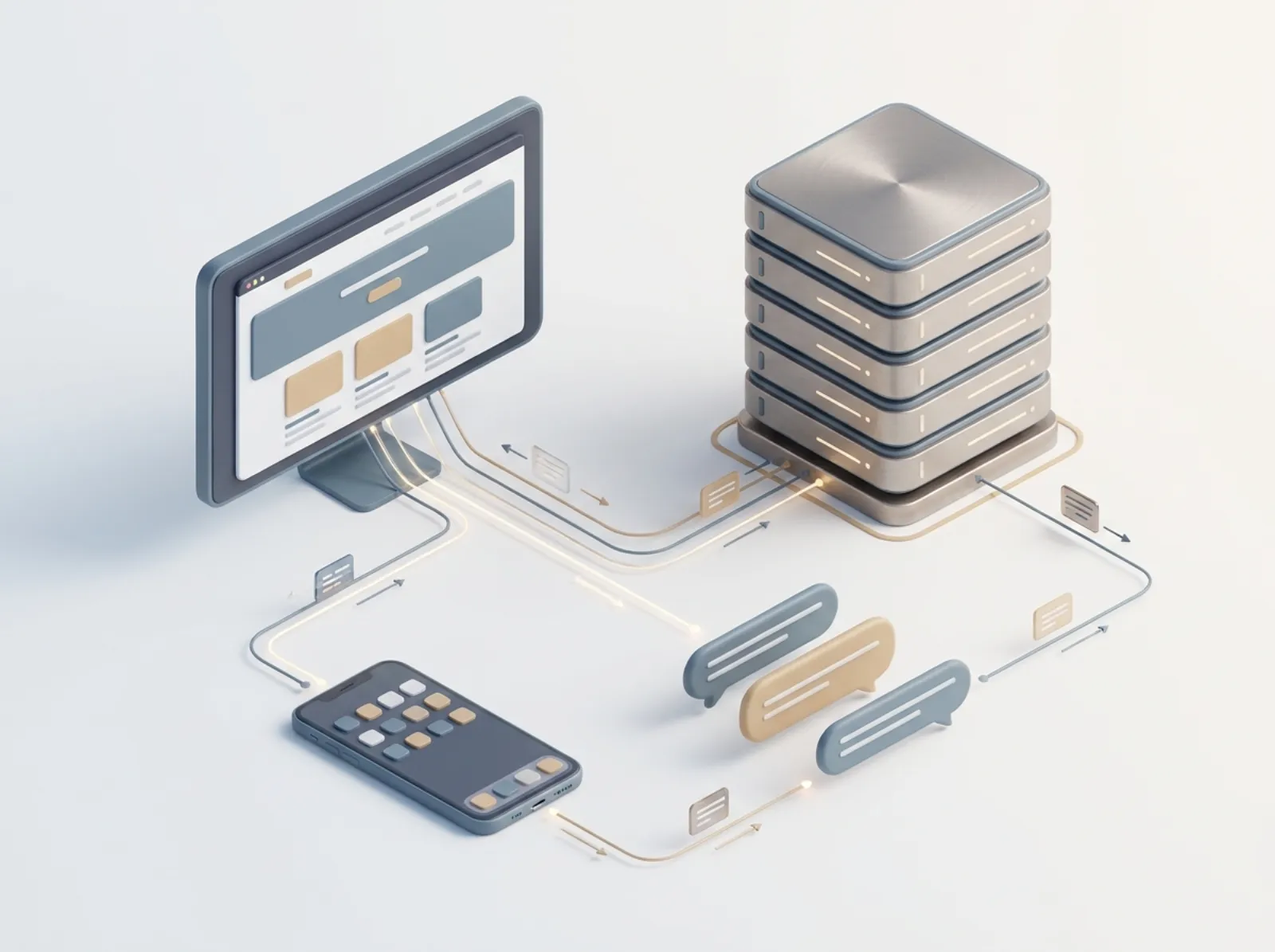
Diagram of a CRM connected to phone system, messaging, website and the clinic’s record system
Inquiries from every channel enter one pipeline and are linked to the booking in the EHR.

EHR and CRM: who is responsible for what

A common question from clinics: why add a CRM if we already have an EHR? Here is how the work is divided.

TaskEHR / practice managementCRM
Provider schedulesOwns and stores themShows open slots to the front desk while booking
Patient chartStores orders, notes and documentsDoes not store clinical data
Inquiries before bookingUsually not trackedRecords calls, messages, forms and what came of them
Missed calls and unanswered messagesNot trackedCreates tasks and watches response deadlines
Patient sourcesEntered by hand, if there is a field for itDetected automatically through call tracking and campaign tags
Follow-ups and recallStores the orderReminds, tracks whether the patient booked, measures drop-off

Who it’s for, and who it isn’t

A good fit if

  • Multi-specialty clinics and medical groups with several front-desk staff and a heavy call volume.
  • Practices with multiple locations that need one inbox and routing by site.
  • Clinics that invest in advertising and want to know what a new patient costs.
  • Practices with long treatment plans where follow-up visits matter.
  • Clinics that want reminders and recall run from one place instead of by hand.

Not a fit if

  • A solo practitioner with a modest flow of patients: the scheduling and reminder tools in your EHR will cover it.
  • A clinic whose EHR already handles inquiries, messaging and reporting, with nothing left to add.

Patient privacy and health data in a CRM

Health information is protected data. In the US, a provider that is a covered entity has to follow HIPAA when it handles protected health information, including when it hands that data to a vendor under a business associate agreement. In the UK and the EU, health data is a special category of personal data under GDPR. That is why we don’t move diagnoses, chart notes or clinical documents into the CRM: clinical information stays in the EHR, and the CRM holds contact details, inquiry history and booking status.

We separate access by role. The front desk sees inquiries and bookings, the marketer sees aggregated channel analytics, the practice manager sees summary reports. Exports are restricted and user actions are logged. If your compliance team requires specific hosting or a signed agreement with the CRM vendor, we pick the platform and plan with that in mind.

Marketing and reminder messages go only to patients who have agreed to them. Booking forms on the website and in messaging channels carry the consent wording, and the CRM stores a flag for it. A patient who opts out is removed from every campaign automatically. Appointment reminders and promotional campaigns follow different rules in many jurisdictions, so we keep them as separate scenarios.

A CRM works best alongside a website built for booking. If your site needs work first, see web design for medical clinics.


Checklist: what to prepare before we start

It shortens discovery and speeds up the launch.

  • The name and version of your EHR or practice management system, whether it has an API, and a contact at its support team.
  • A list of inquiry channels: phone lines, messaging, website, directory listings.
  • The number of front-desk staff, their working hours and your locations.
  • Recall scenarios: which orders and follow-ups need tracking.
  • The reports you currently build by hand.
  • Your consent wording and privacy notice for patients.

FAQ: CRM for medical clinics

The EHR runs the clinical side and the schedule, while the CRM handles inquiries before the booking and bringing patients back after the visit. Missed calls, text messages and patient sources are usually not tracked in an EHR. Together they cover the whole patient journey.
Systems that offer an API or ready-made connectors, such as Epic, athenahealth, NextGen Healthcare and Tebra, among others. Before we start, we check which data your system exposes and whether a patient can be booked from the CRM.
The CRM links the ad channel, the inquiry, the booking and the visit. A practice manager can see the cost of a new patient by channel, the share of missed calls, the booking rate for each front-desk employee and provider utilization.
It can be, when you follow the rules that apply to you: HIPAA in the US, GDPR in the UK and EU. That means patient consent where needed, data protection, role-based access and, in the US, a business associate agreement with vendors that touch protected health information. Clinical details stay in the EHR.
We quote on request after discovery. It depends on the number of locations and staff, the EHR, phone and listing integrations, and how much analytics you need. CRM licences are paid separately to the vendor at its own rates.
Not when it’s set up properly. Staff work in one window instead of five, the patient record opens when the phone rings and reply templates save time. For the first two weeks we support the team and adjust settings based on their feedback.
Yes. We build a shared inbox, routing by location and separate analytics for each site. The group’s management sees consolidated data and can compare locations.

Tell us about your task — we'll come back with a quote and timeline

In response you'll get a project estimate, a quote broken down by scope, and timelines. Usually within one business day. Free, no strings attached.

4 of 6 project slots open this week.

Request received

Thank you! We'll get back with the project estimate, the quote and the timeline — usually within one business day.

Get an estimate