A chatbot for education that answers students and parents for you

Admissions offices and front-office staff spend hours on the same questions: what documents to bring, when classes start, how to pay, where the lesson link is. We build chatbots for educational institutions that take those questions on: in messaging apps, on your website and in the student portal, tied to your schedule, CRM and learning platform.

Reply within 15 minutes · project assessment — free · pricing on request

A student’s hands holding a smartphone showing a chat with a training center’s chatbot about the class schedule, with a laptop and textbooks nearby

A chatbot for education is a bot that answers prospective students, current students and parents in messaging apps and on the website: it explains programs and admissions, books class visits and trial lessons, sends schedules and reminders, takes payment and hands difficult questions to a staff member. We design the flows and connect the bot to your schedule, CRM and learning platform.

Which problems of an educational institution a chatbot solves

This is what schools, colleges, training centers and online course providers bring to us.

“During admissions season the admissions office phone never stops ringing”

Applicants and parents can’t get through, and staff answer the same questions instead of processing applications.

The bot answers routine questions about programs, documents, deadlines and ways to apply, and books open house visits and advising sessions. Staff get only the non-standard questions.

“Students don’t know a class has been rescheduled”

People show up at a locked classroom or miss an online lesson, and the office deals with the complaints.

The schedule lives in the bot by the student’s group, with automatic notifications about changes, substitutions and new class links.

“Course inquiries arrive at night, and the sales rep replies in the morning”

The person has already enrolled with another school while waiting for an answer.

The bot explains the program right away, suggests a group by level, books a trial lesson and passes the lead to your CRM.

“Parents message teachers and coordinators on their personal phones”

Conversations are scattered across staff members’ personal phones, replies get lost and the history leaves with the employee.

A single bot for parents: payments, attendance, questions for the coordinator. All the conversation stays in the institution’s systems.

What a chatbot can do for a school or training center

The feature set depends on the kind of institution: a school, a university, a training center and an online course provider each need different flows.

Answers to common questions

Programs, tuition on request, documents, application deadlines, schedules, campus addresses. Your staff update the answer base without a developer.

Enrollment and trial lessons

Matching a course or group by age and level, a placement quiz and booking of a trial class or advising session.

Schedule and notifications

A personal schedule by group, class reminders, alerts about changes and links to online lessons.

Payment and documents

An invoice and payment link, a reminder about the next payment and, on request, enrollment confirmations and receipts.

Learning in the messenger

Delivery of materials, homework submission, short quizzes and deadline reminders. For online course providers, this supports course completion.

Feedback

Surveys after classes and modules, teacher ratings and complaint intake with routing to the person responsible.

Handoff to a person

If the bot doesn’t know the answer, the question goes to a staff member with the conversation history. The student doesn’t have to repeat it.

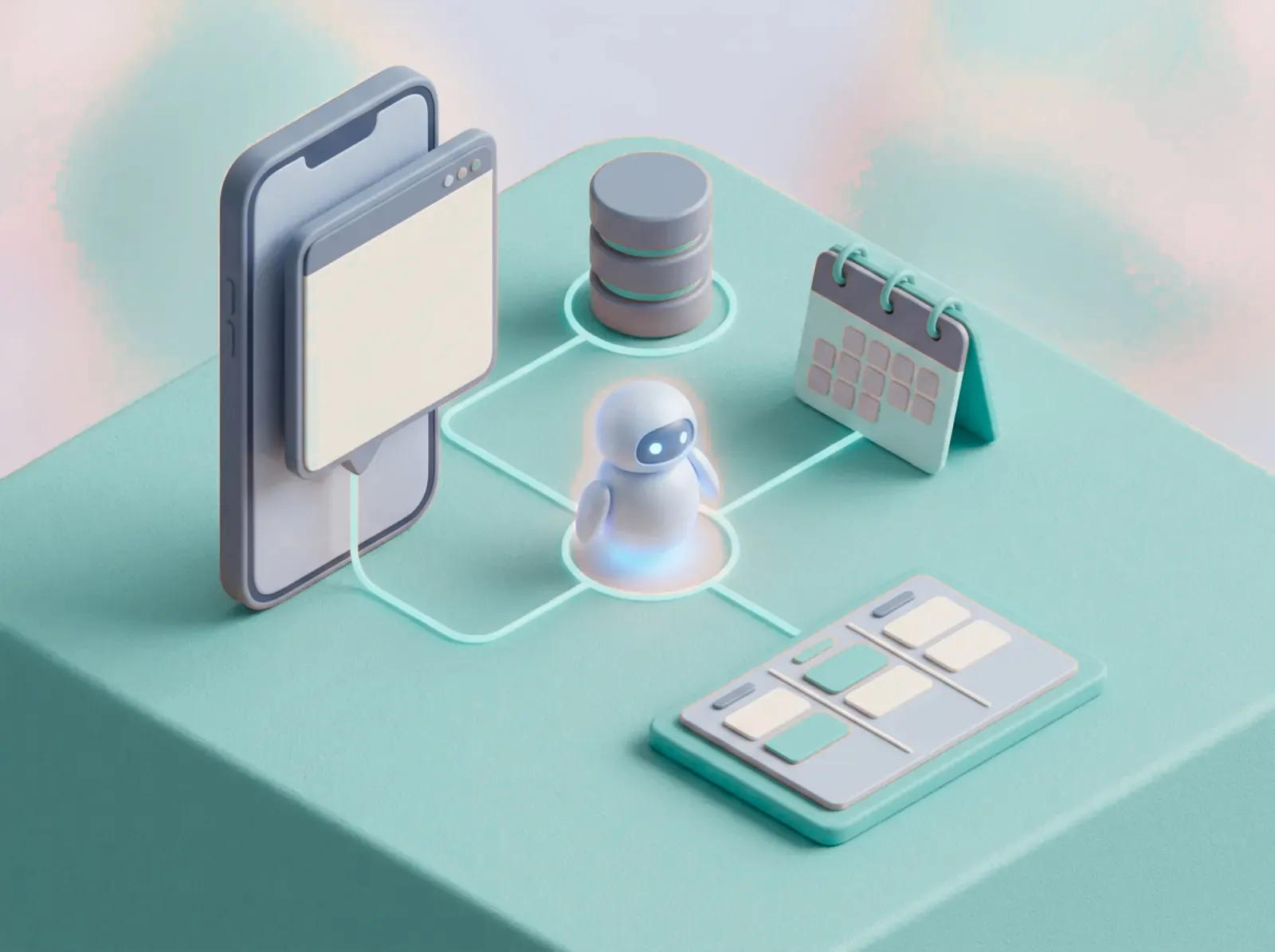
Isometric diagram of how a chatbot works: a messaging window connected to the bot, a database, a calendar and a CRM
The bot pulls data from the schedule and CRM and passes to staff only what needs a person.

Integrations that education needs

A bot is useful when it takes data from your systems rather than from memorized text.

Messaging

WhatsApp Business, Facebook Messenger, Instagram, SMS and website chat, with Telegram as an extra channel. For schools we also look at the channels parents and students actually use.

Institution website

A chat widget on the institution’s website and in the student portal.

Learning platforms

Canvas, Moodle, Blackboard, Google Classroom, Teachable, Thinkific and other LMS: access, progress and assignments.

CRM and admissions systems

HubSpot, Salesforce, Slate and similar tools: inquiries, trial bookings, payments and the history of conversations with the student or parent.

Schedule and records

Timetable spreadsheets, student information systems such as PowerSchool, and the systems used by training centers, where they have an API.

Payment collection

Payment services such as Stripe or PayPal with automatic payment status updates in the CRM and course access opening.

Free review: which chatbot you actually need

Leave your contact — we'll look at your channels and typical requests and tell you what a bot can handle, whether a builder is enough and what it would change. No sales pitch.

Thank you! Request received — we'll get back with a chatbot scenario review within one business day.

Stages of developing a chatbot for education

We start with the questions that your students and parents really ask.

Step 011 week

Collecting the questions

We analyze emails, calls and requests to the admissions and student services offices. We pick out typical questions and flows.

Step 02

Flows and tone

We design the conversation branches for applicants, students and parents, the answer texts and the points of handoff to a person.

Step 03

Integrations

We connect the schedule, CRM, LMS and payments. We check that the data in the bot matches reality.

Step 04

Testing with staff

Your staff check the answers and flows, and we fix inaccuracies before launch.

Step 05

Launch and training

We place the bot on the website and in messaging apps and teach staff to update answers and take over questions.

Step 06

Support

We look at which questions the bot didn’t answer and extend the base. Before each admissions cycle we refresh the flows.

A chatbot for the website of an educational institution

A school, college or university website carries a lot of reference material: admissions requirements, accreditation details, handbooks, tuition and financial aid pages, academic calendars. These pages are hard to navigate, and visitors often don’t find what they need. A bot on the site answers the question and links to the right page, without replacing the pages themselves.

For training centers and online course providers, the bot on the site works as an adviser: it helps choose a program, answers questions about format and schedule and books a trial lesson. The visitor gets an answer at once, and the lead with the conversation history goes into your CRM.

Accessibility is part of the job. We build the chat widget to follow WCAG guidelines, with sufficient contrast, scalable text and full keyboard control, which matters for institutions covered by ADA or Section 508 requirements in the US and the equivalent rules elsewhere.


Personal data of students and parents

A bot processes personal data, and some students are minors. So we build consent and notices into the flows, and we collect children’s data through parents or guardians. In the US, that means respecting FERPA for education records and COPPA for children under 13; in the UK and EU, GDPR rules on children’s data apply. We choose hosting and storage to match your institution’s requirements.

The bot should not know more than it needs to. A group name is enough to answer a schedule question, while grades and personal files stay in the records systems. We give access to sensitive data only after the student or parent has been identified.

Bot flows for different institutions

The main tasks a bot handles in each type of educational institution.

InstitutionMain flowsChannel
School or children’s centerSchedule, notifications for parents, payment for clubs, class bookingParents’ messaging app, website
College or universityAdmissions season, documents, schedule, enrollment lettersWebsite, WhatsApp, SMS, Messenger
Training centerCourse selection, trial class booking, payment, remindersWebsite, messaging apps, CRM
Online course providerWebinar registration, access, assignments, course completionMessaging apps, LMS, CRM
Corporate trainingCourse assignment, reminders, quizzes, reports for managersCorporate messenger, LMS

Who it’s for, and who it isn’t

A good fit if

  • An admissions or student services office overloaded with routine questions.
  • A training center or online course provider losing inquiries that arrive outside office hours.
  • You need to centralize communication with parents instead of staff members’ personal phones.
  • You have a CRM or LMS the bot can exchange data with.

Not a fit if

  • Few inquiries, and a staff member can answer them personally.
  • You need an AI tutor that teaches a child by itself: that is a separate area, AI integration for education.

FAQ: Chatbot for education

We quote on request after reviewing the flows. It depends on the number of flows, the channels and the integrations with your CRM, schedule and LMS. A simple bot with answers and booking is one task, and a bot with a personal schedule and payments is another.
Where your students and parents already talk. For many institutions that is website chat, WhatsApp Business or SMS, and for online course providers often Telegram or Messenger. One bot can be connected to several channels.
Yes, we add a chat widget to the website and the student portal. The bot answers questions and links to the relevant policy and admissions pages without replacing them.
If you like. For accurate answers about documents and deadlines, flows and a knowledge base are more reliable. We add AI for open questions, restricted to your own materials so that the bot doesn’t invent answers.
Your staff, through a simple panel or a spreadsheet, with no developer. Before each admissions cycle and new school year we help refresh the flows.
We collect data on minors through parents or guardians with consent that follows the rules that apply to you, such as FERPA, COPPA or GDPR. The bot receives only the data needed to answer, and we choose storage to match your requirements.

Tell us about your task — we'll come back with a chatbot scenario

You'll get a review of your inbound conversations, a bot scenario and a clear recommendation: builder or custom. Usually within one day. Free and no obligation.

4 of 6 project slots open this week.

Request received

Thank you! We'll come back with a review of your conversations, a bot scenario and a format recommendation — usually within one business day.

Get an estimate